A prepaid meter for landlords in Kenya can do more than show a number: a meter with a built-in relay lets you set a unit allowance in the Tuya app and cuts the power once that allowance is used up. This guide explains how that works on the Atorch GR2PWS, what to check on your board before buying, and when a plain display-only monitor is the wiser choice. It is written for landlords, caretakers and anyone managing a shared supply.
How does a relay meter cap usage for a tenant?
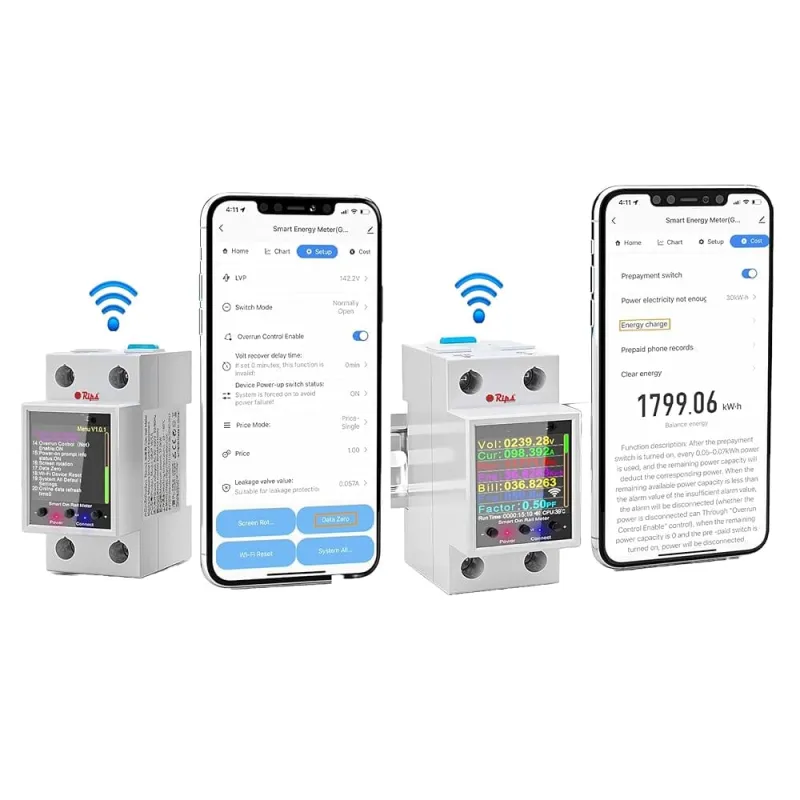
The relay is the part that acts. On a display-only energy meter you read the numbers and then chase the tenant; on this ATorch unit you set a unit allowance in the Tuya or Smart Life app and the meter switches the power off once that allowance is finished.
That turns the meter from a reporting tool into a control tool. You decide the limit once, and the meter enforces it every time, without you visiting the building.
What you need to check before you buy:
- Current: the meter handles 0 to 100A, so compare that with the rating of the main breaker or sub-breaker you plan to meter.
- Voltage: it works across 50 to 320V AC.
- Load: the highest figure listed is 32,000W.
- Fitting: it mounts on DIN rail and has an LCD display, so it sits inside a distribution board.
- App control: the board needs WiFi for the Tuya or Smart Life app to reach the meter.
If each of those matches your supply, the relay gives you the automatic cut-off you were looking for.
What the ATorch GR2PWS is, and where it fits
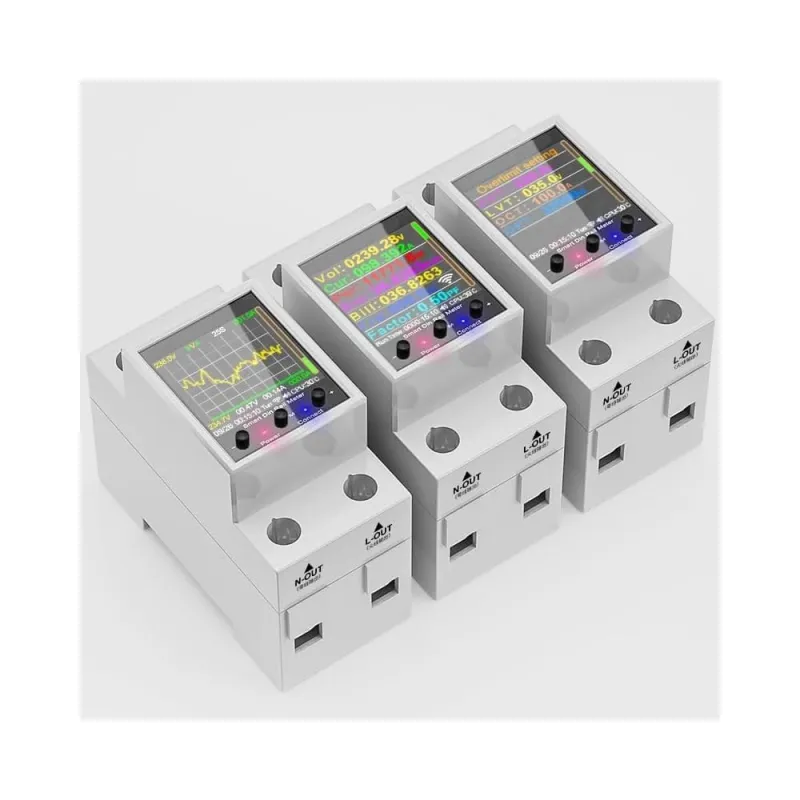
The ATorch GR2PWS WiFi Smart Energy Meter is the piece of kit this article is about: a DIN rail energy meter with a relay, WiFi, an LCD and Tuya or Smart Life app control, listed for up to 100A and 32,000W.
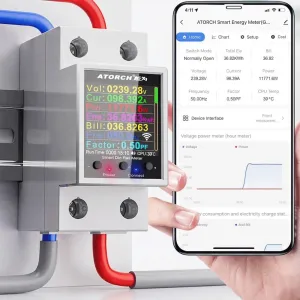
Actual product photos ofAtorch GR2PWS WiFi Smart
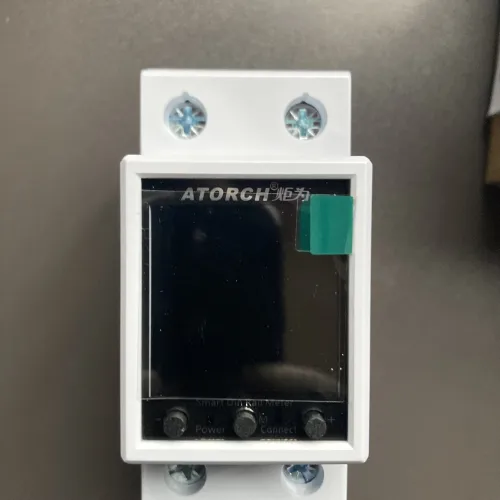
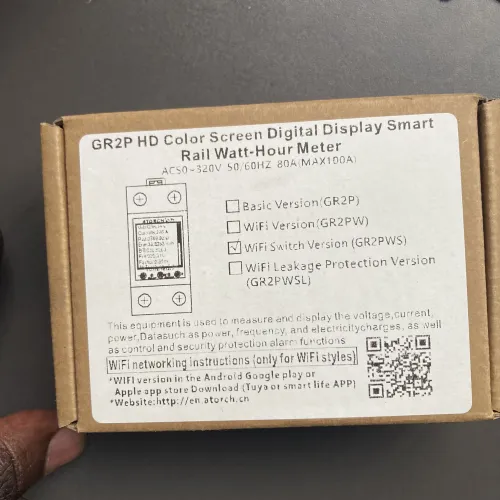
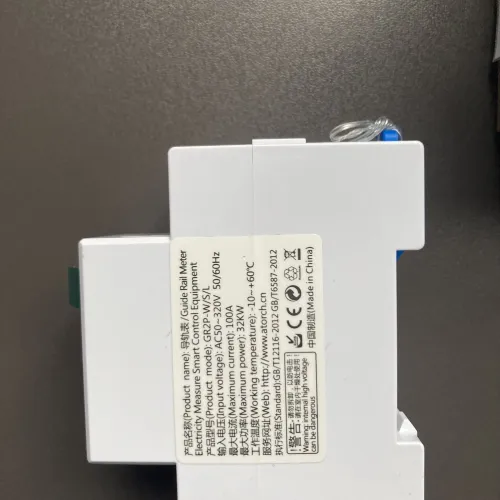
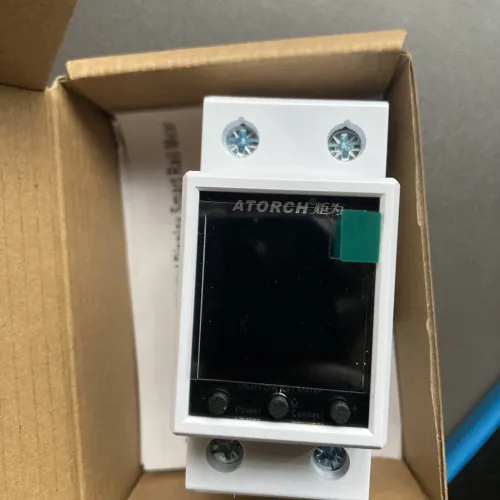
It suits a landlord on a shared or prepaid meter who needs usage capped automatically, not simply watched. For other gear that talks to the same app, browse Smart Home Automation Devices.
How do you set the allowance once it is fitted?
You set the allowance inside the Tuya or Smart Life app after the meter is wired and connected. Decide the unit allowance for the tenant, enter it there, and the relay cuts power once that figure is reached.
The same app shows historical usage graphs. Those graphs are the quiet benefit: an unusual jump in consumption shows up as a shape on the chart, so you can ask about it before it turns into an unexpectedly large bill.
In practice, that means two jobs from one device. The relay enforces the limit, and the graphs help you understand how the units were spent.
Who still needs a plain monitor instead?
If your only question is "how much is being used here?", a plain monitor is enough. The relay earns its place when you want the supply to stop by itself.
Think about your own situation honestly:
- You bill one tenant for a sub-meter and simply want accurate readings: a display-only monitor does that job.
- You want power to stop when an allowance is spent, without a visit: that is the relay's job.
- Your board has no room for a DIN rail unit: sort the board question first.
- Nobody on site can check an app or a graph: a simpler arrangement may suit you better.
Be clear about the limit too: this meter cuts power by a rule you set in the app, so the allowance has to be maintained and reviewed by you. It does not run itself.
What to confirm with your electrician before fitting
Confirm the load and the WiFi first, then hand the specs to your electrician. Those two checks decide whether the meter is right for your board.
The meter is rated to 100A and 32,000W across 50 to 320V AC. Ask your electrician to compare that with the breaker feeding the supply you want to control, and to confirm there is a spare DIN rail position in the board.
Then check the signal. App control depends on WiFi reaching the board, so a meter box tucked in a basement corner needs a realistic look before you buy.
Where you would use it
- Shared building supply Cap each tenant's usage on a shared supply so the allowance runs out instead of the goodwill.
- Rental units Set a unit allowance for a rental and let the meter cut power once it is spent.
- Spotting odd usage Use the usage graphs to catch an unusual jump before it turns into a large bill.
Other options worth a look if your setup differs:

The next step
The short version: set the allowance in the Tuya app, and the relay does the cutting for you. A prepaid meter for landlords in Kenya only pays off when the load, the board and the WiFi all line up, so confirm those three with your electrician, then view the product page and share the specs with them.
View the Atorch meterKSh 5,500 · In stock
Things people who use the Atorch GR2PWS WiFi Smart Energy Meter often keep alongside it:
Goes well with it

Frequently asked questions
Yes, if it has a relay built in. Set the unit allowance in the Tuya or Smart Life app and the Atorch GR2PWS cuts power once that allowance is used up.
It is listed for 0 to 100A and up to 32,000W, across a 50 to 320V AC voltage range.
Yes for app control. The relay and allowance are set through the Tuya or Smart Life app, so WiFi needs to reach the board where the meter is fitted.
No. It has a relay, so it can switch the supply off at the allowance you set, not only display usage.
Yes. Historical usage graphs in the app make unusual consumption easy to spot before it becomes a large bill.